
Vibe Coding an Entire App Without Losing My Mind
Lessons from Building a Real World App with AI as Both Coding Assistant and Core Technology

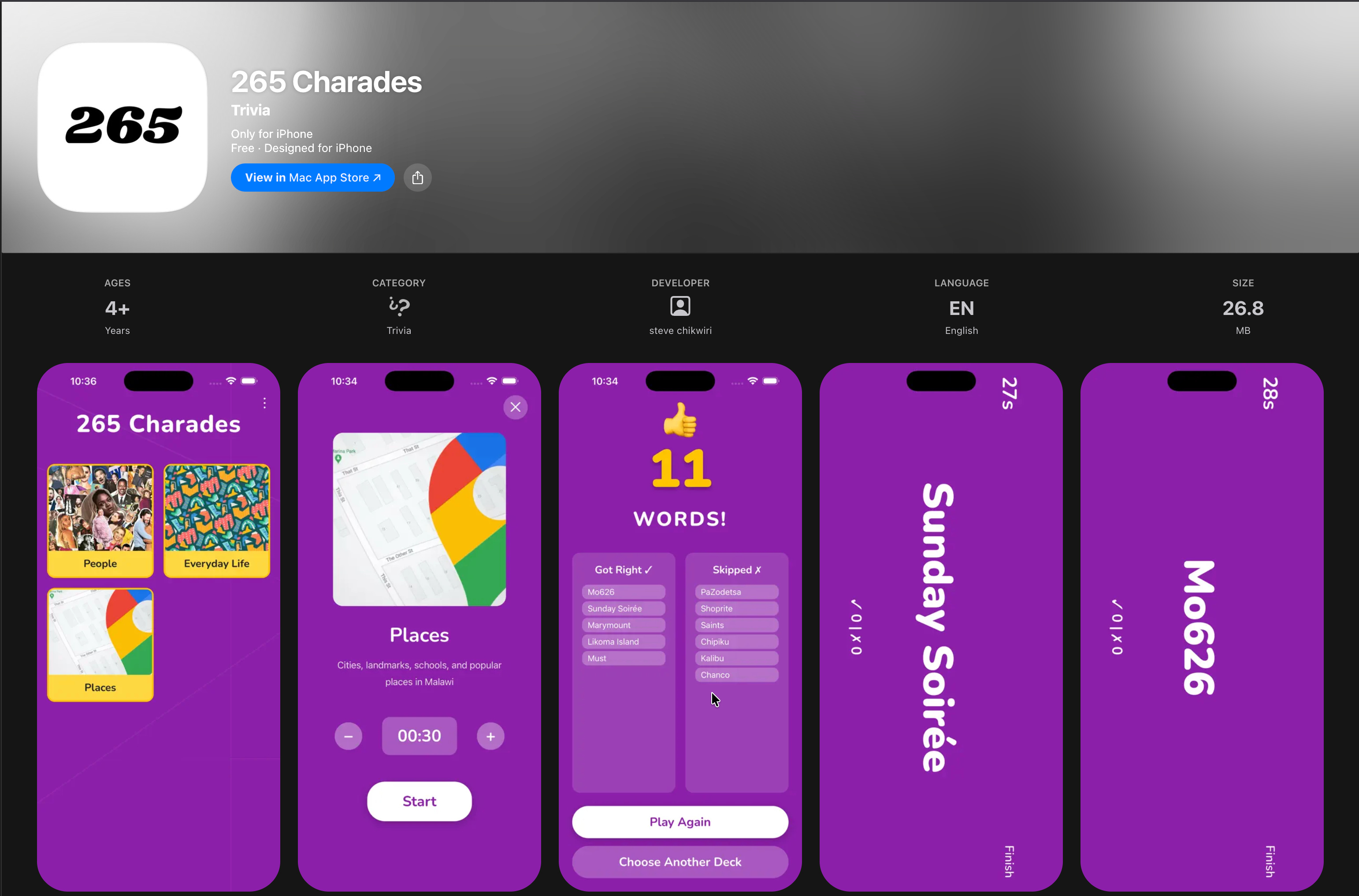
For over 2 years now I’ve wanted to create a charades (read: 30 Seconds) game for one simple reason: a Malawian version doesn’t exist. I mean who wouldn’t like a game tailored to their background? The problem was time. The time investment just never felt worth it. Until AI-assisted coding aka vibe coding, happened. Suddenly, it was the perfect tool for the job.
Since getting my hands on Claude and Claude Code, it’s been nothing short of impressive. From quick debugs and refactors to implementing full features, to designing and building entire websites, I’ve done a lot with it. However, the one thing I hadn’t done yet was vibe-code a full mobile app.
App development gets complicated fast. There’s far more to consider than with a simple landing page or web app. On top of that, LLMs have a tendency to churn out unnecessary code, which can easily 10× that complexity, especially if you don’t know what you’re doing or don’t push back.
This charades game felt like the perfect project. It required enough real-world complexity: multiple screens, a REST API, caching, local storage, network performance concerns, animations, significant theming work, and native integrations with device sensors. Enough moving parts to make it a proper experiment.
I didn’t track it closely, but total time spent was probably a week or less. During that time, I ran into two main problems:
navigating knowledge gaps, both mine and the model’s
constantly hitting Claude Code rate limits
Before this project, I hadn’t worked on anything that required active use of a device’s motion sensors or anything in that regard and unfortunately for me, LLMs often struggle with this kind of relatively low-level, hardware-adjacent work. As a result, the mix of Claude’s limitations, my own weak understanding of the topic, and the fact that it was late at night was enough for me to ditch the project and go to bed.
That situation highlights an important aspect of vibe coding: the knowledge gaps LLMs have and the growing importance of the user’s research skills. When you work with AI-assisted coding long enough, you quickly realize that knowing how to research is critical.
After some back-and-forth with Claude Code, trying to force a solution and repeatedly failing, I leaned into research to close the knowledge gap. I looked up how similar apps solved the problem because this app isn’t unique or special; there are literally hundreds of versions of it on the app stores. If other’s had built this before, the solution I was looking for had to be documented somewhere.
That research led me to a few public repos that implemented the same mechanics I was looking for. I fed the repos to Claude Code, pointed it to the relevant parts, and it fixed the issue in one shot. That was it. The core of the game was done. Everything after that was cleanup, UI adjustments, and polish.
(Worth mentioning: hooking up Firebase Analytics and Firestore was buttery smooth. No notes.)
The next issue was rate limiting, maxed-out context windows, and other AI usage constraints. On rate limits, one could argue I should just hand Anthropic $100 and get Claude Max. I’m clearly outgrowing Pro. But realistically, I only hit these limits on greenfield projects. My day-to-day work doesn’t need that level of usage. What frustrates me is hitting a limit at peak flow and having it completely kill my momentum. However, I recently discovered Claude’s pay-as-you-go option, which lets you keep working past periodic limits, and that’s been clutch. Also, while it so far looks like it, this isn’t meant to be a Claude Code promo. It’s just hard not to rave about a product you use each and every day.
Maxed-out context windows, on the other hand, are something I’ve come to hate. Even though Claude can compact chat history and let you continue working, I’ve found model performance noticeably drops afterward. Suggested solutions start making less sense. While I understand why this happens, it’s still frustrating when it happens. My current workaround is simple: one task per chat. Once a task is done, I clear the thread. That keeps irrelevant context from clogging things up and avoids hitting the window limit with information that no longer matters.
An honorable mention among AI problems is its obsession with generating code slop. Without proper architecture, planning, and active pushback, you very quickly end up with 500+ line files, duplicated logic, duplicated components, and unnecessary complexity everywhere.
So, what’s next for the app? Custom decks.
I use AI in two distinct ways: as a coding assistant, and as applied AI, where it is quietly embedded as the underlying technology that powers products rather than being the product itself. This article has focused on the former. Custom decks are where the latter comes into play.
This is the kind of applied AI I’m talking about in practice where it isn’t a flashy feature, but quiet infrastructure embedded in the product. With custom decks, AI isn’t about being visible, it’s about removing friction. You describe a context, and the game adapts instantly. If it works well, users won’t think about models, prompts, or generation at all, they’ll just be doing what they came for: playing the game. That’s the goal: AI quietly powering the product while the experience stays human, contextual, and fun.
Stepping back, this project ended up being less about building a charades game and more about stress-testing how far vibe-coding can realistically go today. Vibe coding made the project viable, but it didn’t remove the need for judgment, research, or restraint. It amplified it.The takeaway is simple: AI amplifies your capabilities when paired with skill and judgment. Used carelessly, it creates complexity. Used deliberately, it makes previously unworthy ideas possible. This app exists because of that shift, and it’s hard to unsee once you’ve experienced it.
Download 265 Charades here.